How to turn off Live Photos from Iphone
IOS devices have a camera feature known as "Live Photos" that comes as standard. While fantastic for everyday use, in the specific application of uploading large amounts of photos, we have seen increasingly long upload times and even failed uploads. This is due to the size of the "Live" format. This format takes small videos rather than photos with the purpose of capturing the best frame as your photo. This exponentially increases the size of the file which is the cause for these uncomfortably long or even failed uploads.
Here is how to disable this feature on the latest IOS snapshot, you have 3 ways of doing so.
You can temporarily disable this feature while in the camera app. Tap on the "Live Photo" button on the screen so that a small line crosses through it. The crossed-out button displays when live photo mode is turned off.
You can permanently disable the "Live Photo" option in you settings. Navigate to your camera app settings in your settings app. You want to select "Preserve Settings" and flip the "Live Photo" option to the off position. This will permanently disable the "Live" functionality from the camera.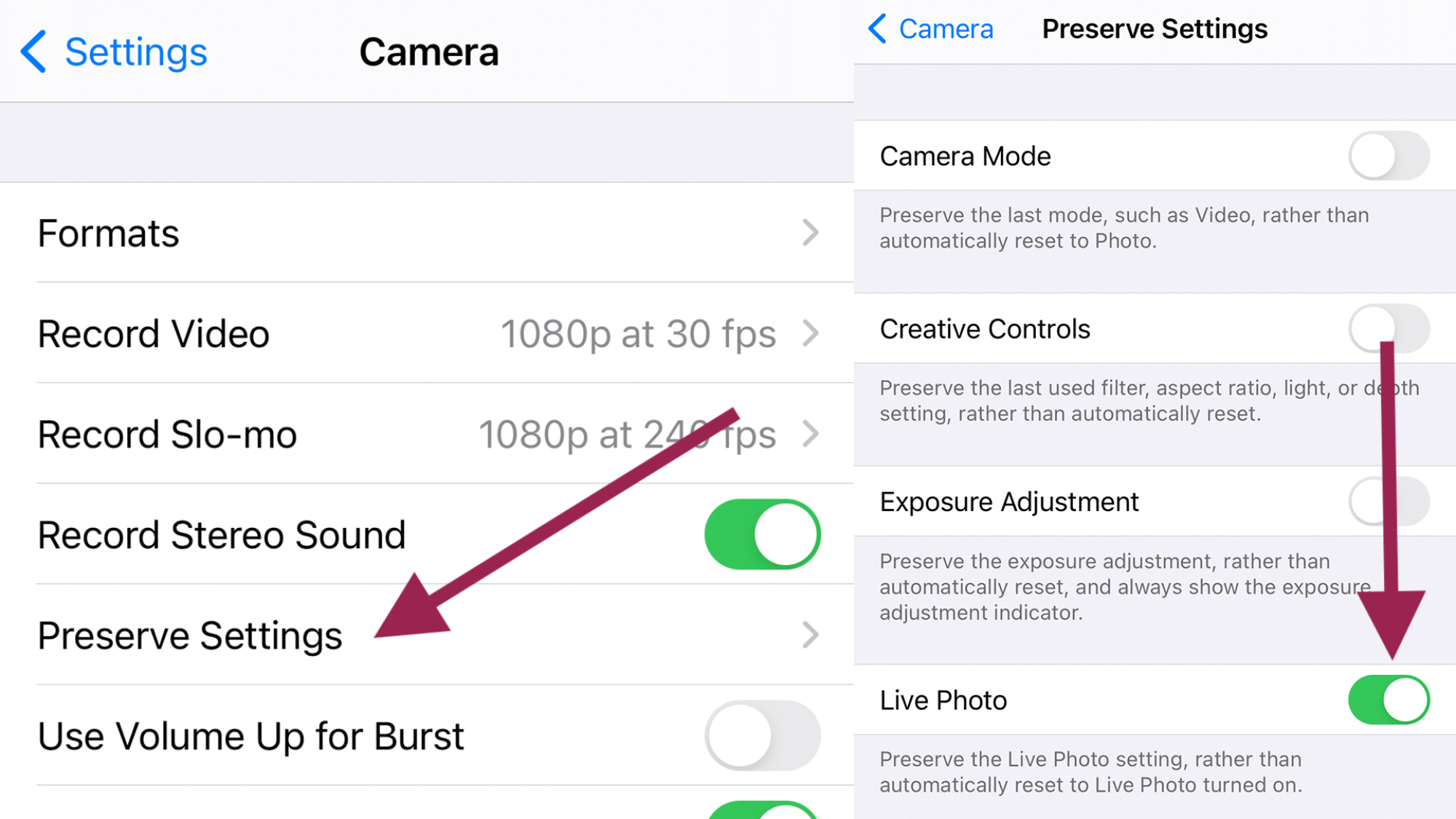
Lastly, you can edit photos that were already taken in the "Live" format and revert them to regular images. To do this, open your gallery and find the picture you wish to revert. Tap the "Edit" button and a "Live" button will appear at the top of the frame. Here it can be toggled to the off position.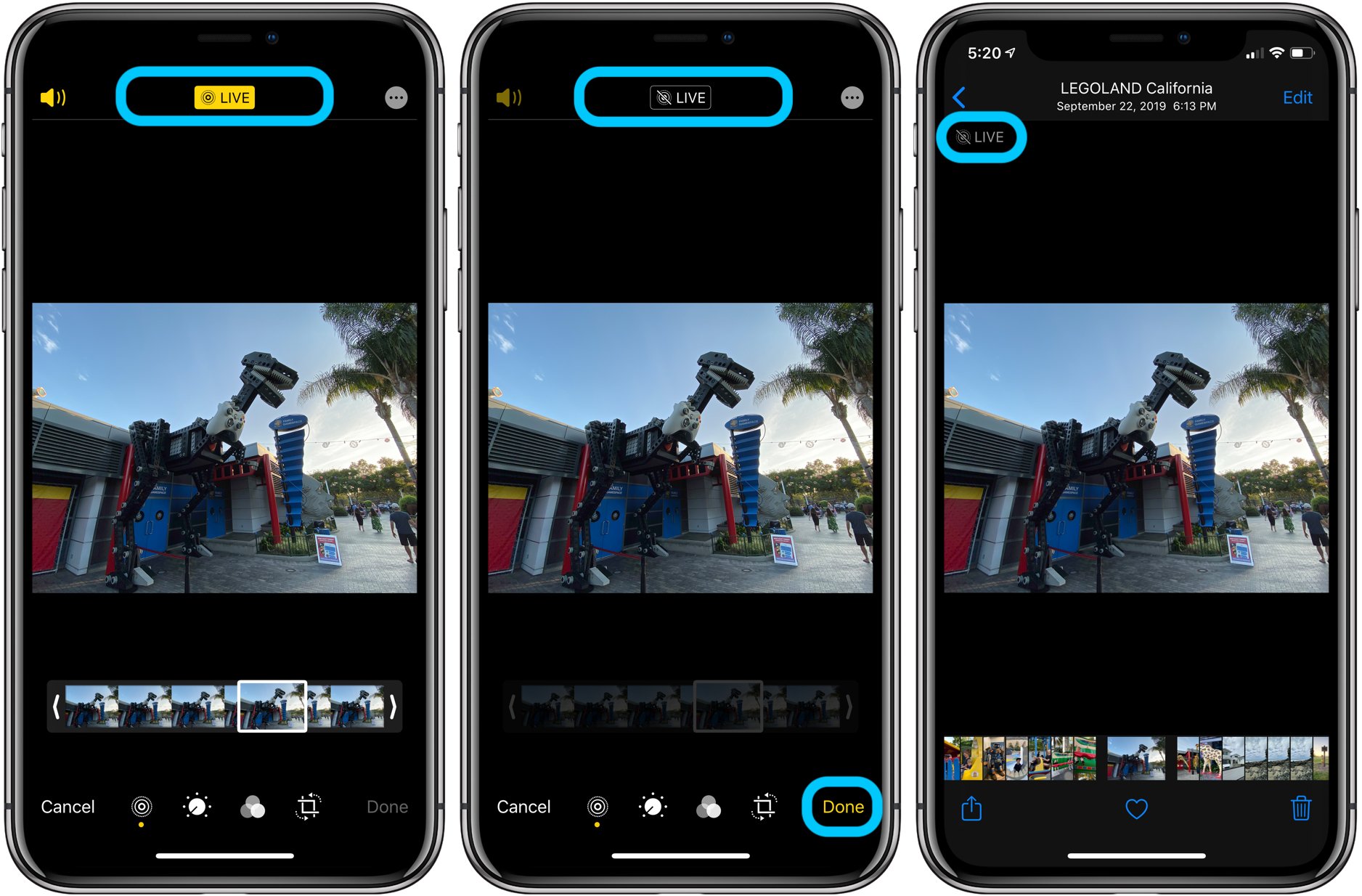
Related Articles
Photos fail to upload
In DigiMEP, there are few reasons why a photo (or several) fail to upload. Here are some of the most common reasons our technical support agents see everyday. Poor Cell Service As you take photos in DigiMEP, these photos will try to upload ...Common Issues Guide
Here are some common issues and quick tips on how to solve them Photos Will Not Upload -Check network connectivity. Run a speed test on your device and make sure your upload speeds are greater than 2 MBPS. If less than 2 MBPS, finish survey, save as ...New User Guide
Welcome to the DigiMEP team! We here at Internet of Team are thrilled to have a rapidly growing community of talented technicians. With all of our new found members, we get an abundance of questions on how it all works. To get you started, here is a ...